
Getting to know the Finance menu
The Finance menu holds every money record outside buying and selling, such as expenses, other income, capital, loans, advances and cash transfers.
On this page
Money from sales and purchases is already recorded through notes and their payments. Other money is recorded under Transactions → Finance.
The Finance page
Press Finance in the Transactions group. The page has three parts:
- Record: buttons to record an Owner's Capital, Expense, Income, Cash Transfer, Loan, Advance or Cash Count right away. Only the buttons you may use are shown.
- This month: money in, money out and the difference from the start of the month until today. Transfers between cash accounts are not counted, because the money stays in the shop.
- Cash balances: the balance of every cash account in the selected branch. An account with pockets already includes their balances, and its pockets are indented below it.
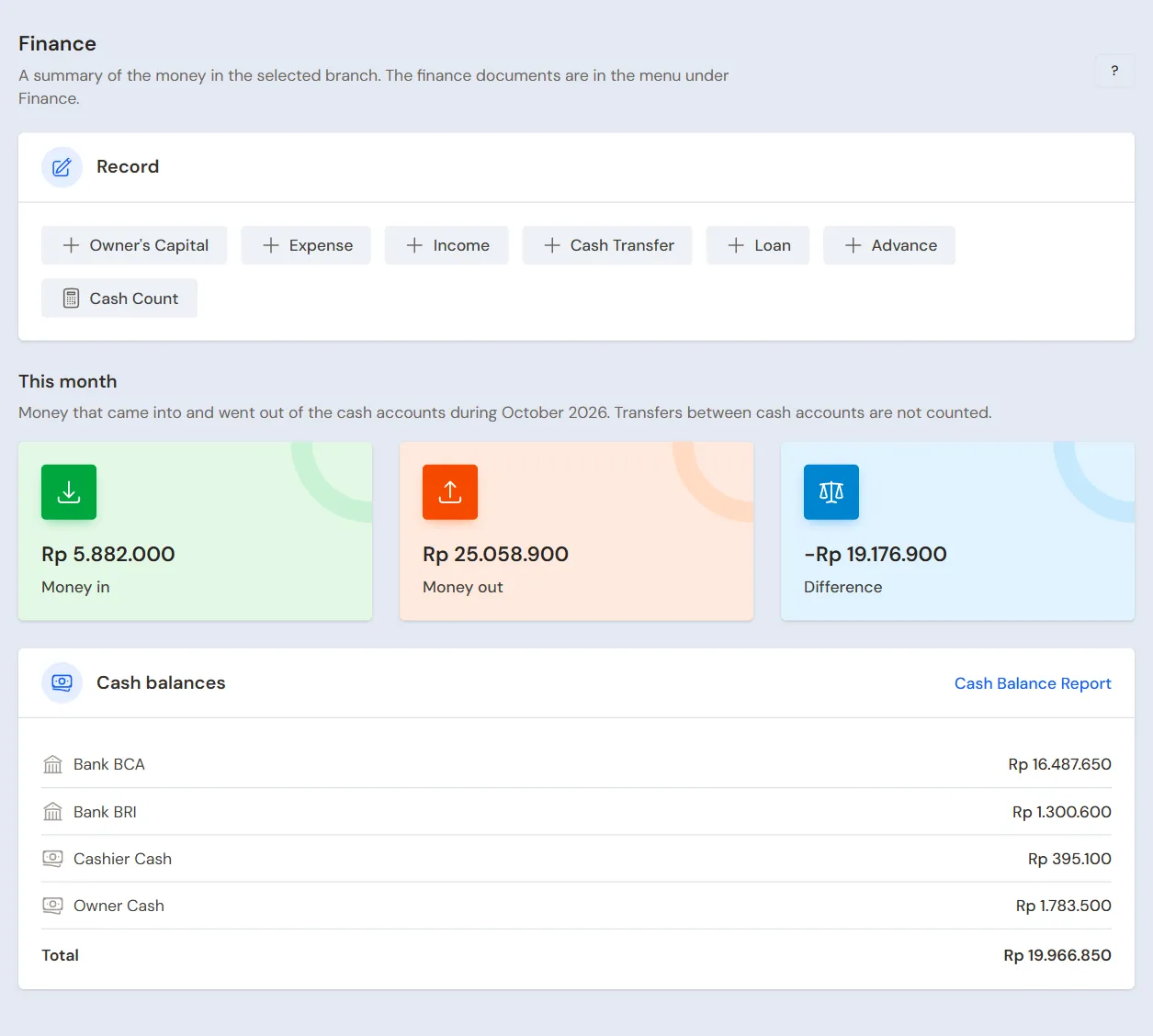
The This month and Cash balances parts only show to people who may open the Cash Balance report, usually the owner and the Finance Manager. Cashiers do not see the book balances.
While the Finance page or one of its items is open, the side menu lists its items: Owner's Capital, Cash Adjustments, Cash Count, Expenses, Prepaid Expenses, Fixed Assets, Income, Unearned Income, Cash Transfers, Loans and Advances. Only the menus you may open are shown.
Cash Count, Prepaid Expenses, Fixed Assets, Unearned Income and Loans are extra features. The menu of a feature that is off is not shown. Contact the Vende team if you need one.
Which one to use
- Paying for electricity, wages or the monthly rent: Expenses.
- Receiving bank interest or other money that is not from sales: Income.
- The owner puts money into the shop, or takes shop money for personal use: Owner's Capital.
- Depositing the drawer cash at the bank: Cash Transfers.
- The shop borrows money from a bank or another person: Loans.
- The shop lends money, for example to a staff member: Advances.
- The money in the drawer does not match the records: Cash Adjustments.
- Counting the money in the drawer at the start or end of a shift: Cash Count.
- Paying a year of rent at once: Prepaid Expenses.
- Receiving money for several months of service: Unearned Income.
- Buying a display case, a freezer or a motorbike for the shop: Fixed Assets.
- Paying the monthly VAT, when the VAT feature is on: VAT Payments.
For every finance document
- The Date follows the branch's local time. If you may not change the date, the date is the moment you save.
- The Cash Account list only holds the cash accounts of the document's branch.
- Expenses, income and cash adjustments can have Proof Photos, at most 5 photos. Each photo can be up to 10 MB.
- A document recorded by mistake can be changed with Edit, or removed with Delete. The cash balances and reports follow.
- No right to change or delete it? When the Ask a manager's permission feature is on, press the ask-permission button on the document's page, for example Ask to change, then write the reason. Your manager gets a notification.
- Documents in a closed month cannot be changed. See Period Lock.
Tip: Confused on a page? Press the ? button at the top of that page.